PrintCost
What your 3D print costs, and what to charge.
Enter the weight and time from your slicer. PrintCost adds filament, electricity and machine wear, applies your margin and shows the right price. Then it sends your customer a clean quote.
Coming soon on theApp StoreFree calculator · Pro with a single payment · iPhone
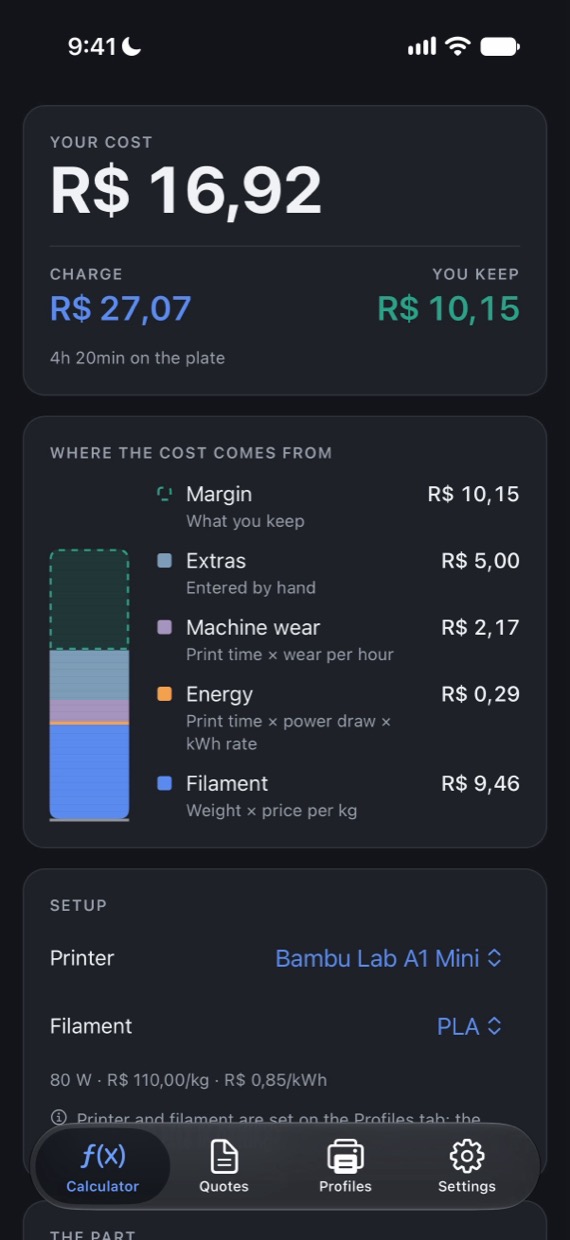
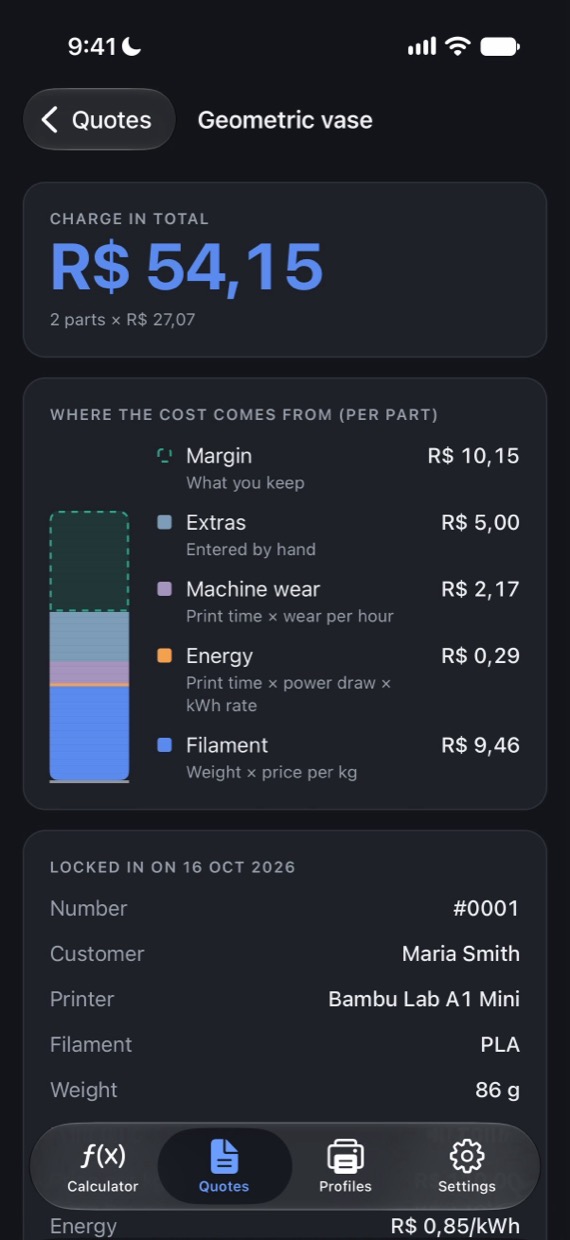
People who sell printed parts often charge for the filament and forget the electricity, the printer's wear and the extras. PrintCost puts all of it in the math in seconds and shows what you really make on every part.
- The full costFilament by the gram, electricity from your printer's power and your local rate, wear per hour, and extras.
- Price with marginAdjust the margin and see the selling price and the profit you keep, instantly.
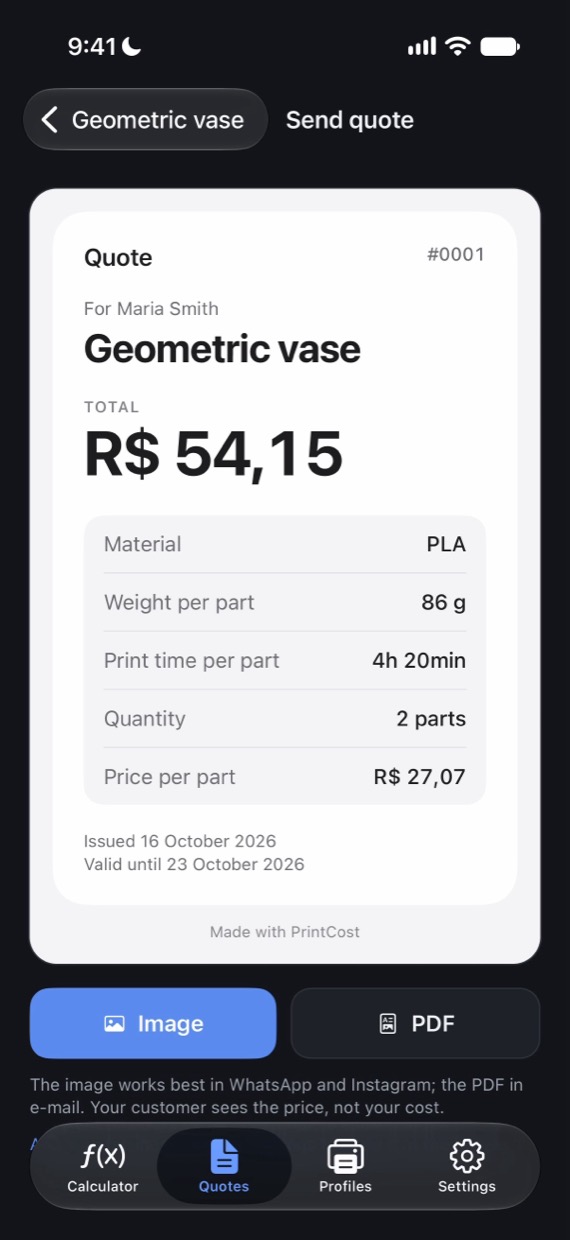
- A quote for your customerA clean page with your business, the part, the quantity and the price. Send it as an image or a PDF.
- Your profilesSet up your printers and filaments once and switch with a tap.
- In your currencyDollar, euro, real, peso and more, with suggested prices to start from. Weight in grams or ounces.
- No subscriptionThe calculator is free. A single payment unlocks saved quotes, sending to customers and unlimited profiles.
Frequently asked questions
I have a suggestion, found a bug or want to share feedback
Write to danielantoni7575@gmail.com. We read every message.
Is PrintCost free?
Yes. The calculator is free, with 1 printer and 2 filaments. PrintCost Pro is a single payment, not a subscription, that unlocks saving quotes, sending them to customers and as many printers and filaments as you want.
Where do I get the weight and the time?
From your slicer (Bambu Studio, OrcaSlicer, Cura, PrusaSlicer) after slicing the part. It shows the filament weight in grams and the estimated print time.
How is the electricity cost calculated?
Print time × printer power × rate per kWh. The power lives in the printer profile and the rate in Settings.
What is machine wear?
An amount per printing hour that sets money aside for nozzles, belts, maintenance and, one day, a new printer. Adjust it in the printer profile.
Does my customer see my cost?
No. The quote you send shows the part, the quantity, the price and how long it is valid. Your costs and margin stay in the app.
I got a new phone. How do I get Pro back?
Open Settings in the app and tap Restore Purchases, signed in with the Apple Account you used to buy it. There is no new charge.
Do I need an account or internet?
No. Everything works without an account and without internet.
Where is my data?
Only on your device. We have no servers and we see nothing you enter.
Get PrintCost
What your 3D print costs, and what to charge.
Coming soon on theApp StoreFree to start